
Georgia VINE's Role in McIntosh
Georgia VINELink is the state entry point for custody-status searches and notifications from participating sources. It is most useful before a release, while a searchable record is active and a user can register for alerts. For someone associated with McIntosh County Jail, availability depends on whether that custody record is supplied to VINE. The research confirmed Georgia's VINELink service, but it did not establish that every McIntosh booking, transfer, or historical release will appear.
VINE and VINELink describe related parts of the same service: VINE is the notification network, while VINELink is its public web interface. The service can help answer “has this custody status changed?” It is not a court docket, a permanent list of released inmates, or a complete jail release record.
The official Georgia VINELink page shown below is the direct state-specific starting point.
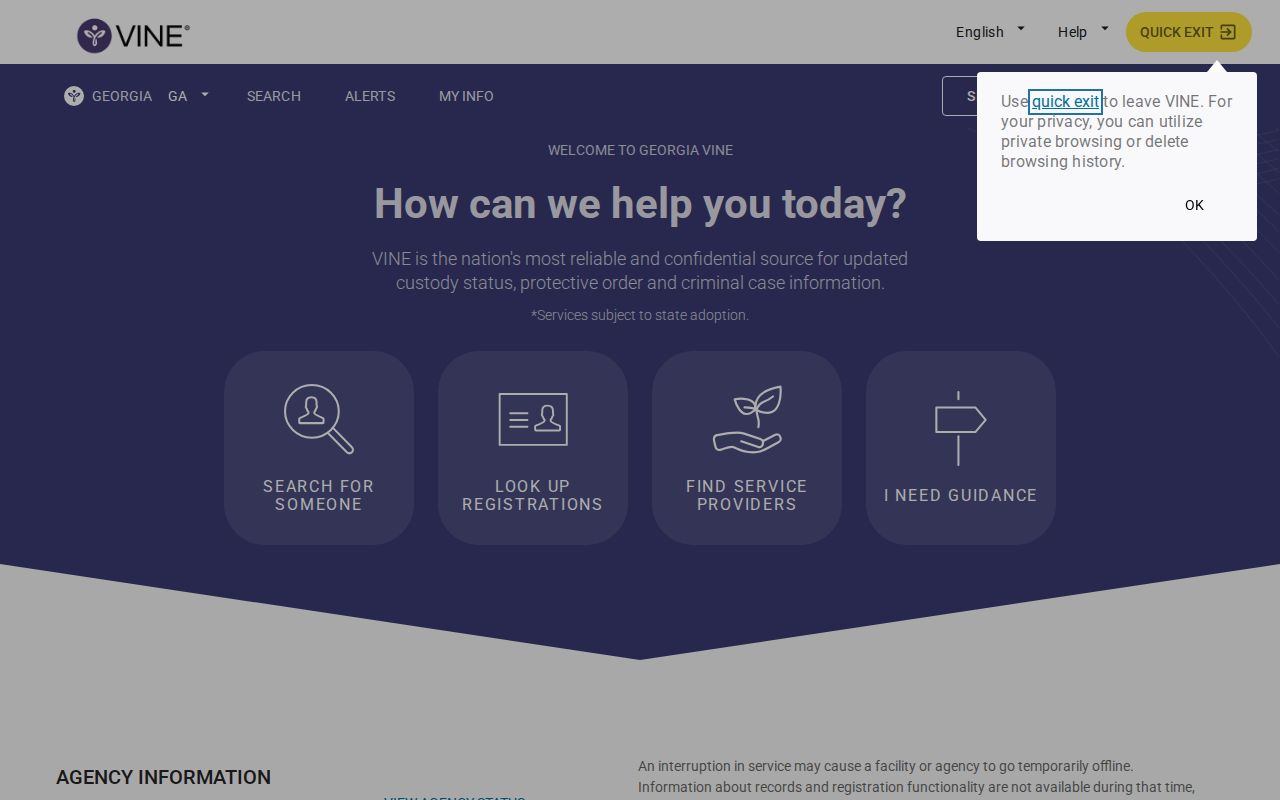
Start on the Georgia page instead of a similarly named commercial directory. A valid result should identify the custody source closely enough to support confirmation with that agency.
Search One Person on VINELink
Gather the person's full legal name and offender ID if known. An approximate age, custody location, or other identifier can help distinguish matches. Spellings and aliases matter, so retry a name carefully before concluding that no record exists.
- Open Georgia VINELink and choose the option to search for a person or offender.
- Enter the full name or offender ID. Use the state-specific interface so the search is directed to Georgia records.
- Review every possible match. Compare age, location, offender ID, and other displayed identifiers rather than selecting on name alone.
- Open the matching record and read its custody status, source facility, and timestamp if those fields are provided.
- Determine whether the status indicates current custody, release, transfer, or that the record is no longer available.
- Save the source agency and relevant timestamp. If the record is active and future notice is needed, register before leaving the page.
- Confirm a release or transfer directly with the listed jail, GDC, or other custodian when the result affects a legal deadline or court-related action.
If the wrong person appears or no active record is returned, move to the source-based steps in the McIntosh County released-inmate lookup. Absence from VINELink does not establish that a person was never booked, remains in custody, or was released.
What VINELink Shows
Exact fields depend on the agency feeding the record. Read the labels as custody information rather than as a full explanation of the criminal case.
| Possible field | What it helps establish |
|---|---|
| Name | Identifies the person attached to the custody record; verify it against other details. |
| Offender or record ID | Distinguishes people with similar names and can help an agency locate the record. |
| Custody status | May indicate current custody, release, transfer, or another recorded change. |
| Facility or agency | Identifies the source to contact for confirmation and more complete records. |
| Status date or timestamp | Shows when an event or update was recorded, if the source supplies it. |
| Notification option | Allows registration for future custody changes while the record remains eligible. |
A released result can establish that VINE received a release event, but it may not give the bond basis, court disposition, sentence details, exact destination, or every outstanding hold. In some cases the person may stop appearing after a limited period. Preserve an alert or screenshot as a lead, then obtain the release reason from the jail or court.
Register a McIntosh Release Alert
Registration works best while the correct custody record is active. Notification methods can include phone, email, text, TTY, or app options where the interface offers them. Available choices can change, so follow the current screen rather than assuming every method appears for every record.
- Search for the person and confirm the correct record using the displayed identifiers.
- Select the notification or registration control associated with that record.
- Choose the available contact method or methods. Enter the phone number, email address, or other requested details accurately.
- For a telephone registration, create the four-digit PIN when prompted. Use a number that can be recalled when the automated call arrives.
- Complete the confirmation steps and save any registration details provided by the interface.
- When VINE calls about an event, enter the PIN to confirm receipt. Georgia VINE guidance explains that calls may repeat within the notification cycle until the PIN is entered.
- Update contact information if it changes before release, and keep the source facility's direct number available for confirmation.
The PIN confirms that a notification was received; it does not verify the identity of the person answering the phone and does not grant access to protected records. Avoid using easily guessed personal information if the interface permits another four-digit choice.
More than one notification method can be useful when available, but each destination should be monitored. A disconnected number, full inbox, blocked automated call, or changed email address can interrupt delivery. Registration reduces the need to repeatedly search; it does not guarantee that a participating agency will transmit every event without delay.
Reading “Released” or No Result
A “released” status describes a custody change reported to VINE. It may mean release to the community, but the display may not explain whether the person posted bond, completed a sentence, received a court order, or moved through another process. Ask the McIntosh County Jail for the release date, time, reason, and destination, and check the court docket for the legal basis.
A transfer status means custody likely continued with another facility or agency. Follow the destination. If the person moved into Georgia state custody, GDC's Find an Offender tool is the relevant public search. If the person moved to another county, that jail becomes the source. If the destination is federal, use the federal locator because VINELink does not cover BOP custody.
No result is inconclusive. The record may use a different spelling, may not be active, may no longer be retained in the public VINE view, or may come from a source outside the service. Retry with an ID or name variation, then contact the likely custodian.
County Jail and GDC Records Differ
McIntosh County Jail is a local county facility, not a Georgia state prison. Its sheriff or jail release record is the primary source for a local bond release, dismissal, court-ordered departure, or local sentence completion. VINELink may notify users of the event if the participating record is active, but the county's underlying record controls the detail.
GDC's offender search applies when the person entered state custody. Georgia's official guidance says Find an Offender can provide facility location, charges, and release-date information. A GDC result may remain useful after a state-prison release, while an old VINE result may not remain searchable. Parole information may require the State Board of Pardons and Paroles tools, and supervision after release may route through the Department of Community Supervision.
VINELink Limits and Confirmation
VINELink does not track federal Bureau of Prisons inmates. The BOP Inmate Locator is the federal route, and its records can include released or not-in-custody entries within the system's published scope. Immigration detention uses the ICE locator and agency channels. A missing Georgia VINE result should never be used to infer federal release.
VINE also is not the Georgia Sex Offender Registry. The registry has a separate legal purpose and covers only people subject to registration requirements. It should not be used as a general released-inmate directory. For McIntosh County, use the narrowest source that matches the custody type: jail records for county custody, GDC for state custody, the court for disposition, and the appropriate federal system for federal or immigration custody.
After a Release Notification Arrives
Write down the time the notification arrived, the event described, the person or ID, and the source agency. Then call the source rather than assuming the alert time is the physical-release time. Ask whether the person went to the community or was transferred, and request the release reason and timestamp when available.
For McIntosh County Jail, use the jail at (912) 537-6622 or the Sheriff's Department at (912) 437-6623. When a court matter explains the release, locate the associated docket entry. If the alert reports a state transfer or GDC release, use the GDC offender record and parole or supervision systems as appropriate. Keeping each source in its proper role produces a clearer account than relying on a single alert.
If the notification and agency answer disagree, ask when each system was updated and whether the event was release, transfer, return from court, or a correction to the record. Do not repeatedly register new alerts for the same record as a substitute for resolving the discrepancy. The source agency can identify whether VINE received a delayed or incomplete status message.
Save the registration confirmation until the custody event is resolved. If calls continue after the PIN was entered, review the current VINELink help options and verify that another event or separate registration is not involved. Automated notices can support a personal safety or court-navigation plan, but urgent safety concerns should be directed to emergency services or the appropriate victim-services professional rather than waiting for a web update.
After confirmation, preserve only the details needed for the purpose at hand. A VINE notice is a point-in-time custody update and may later disappear from search. For a durable official record, request the jail release entry, obtain the court disposition, or retain the relevant GDC record according to the custody path.
Public Record Search
Sponsored Results